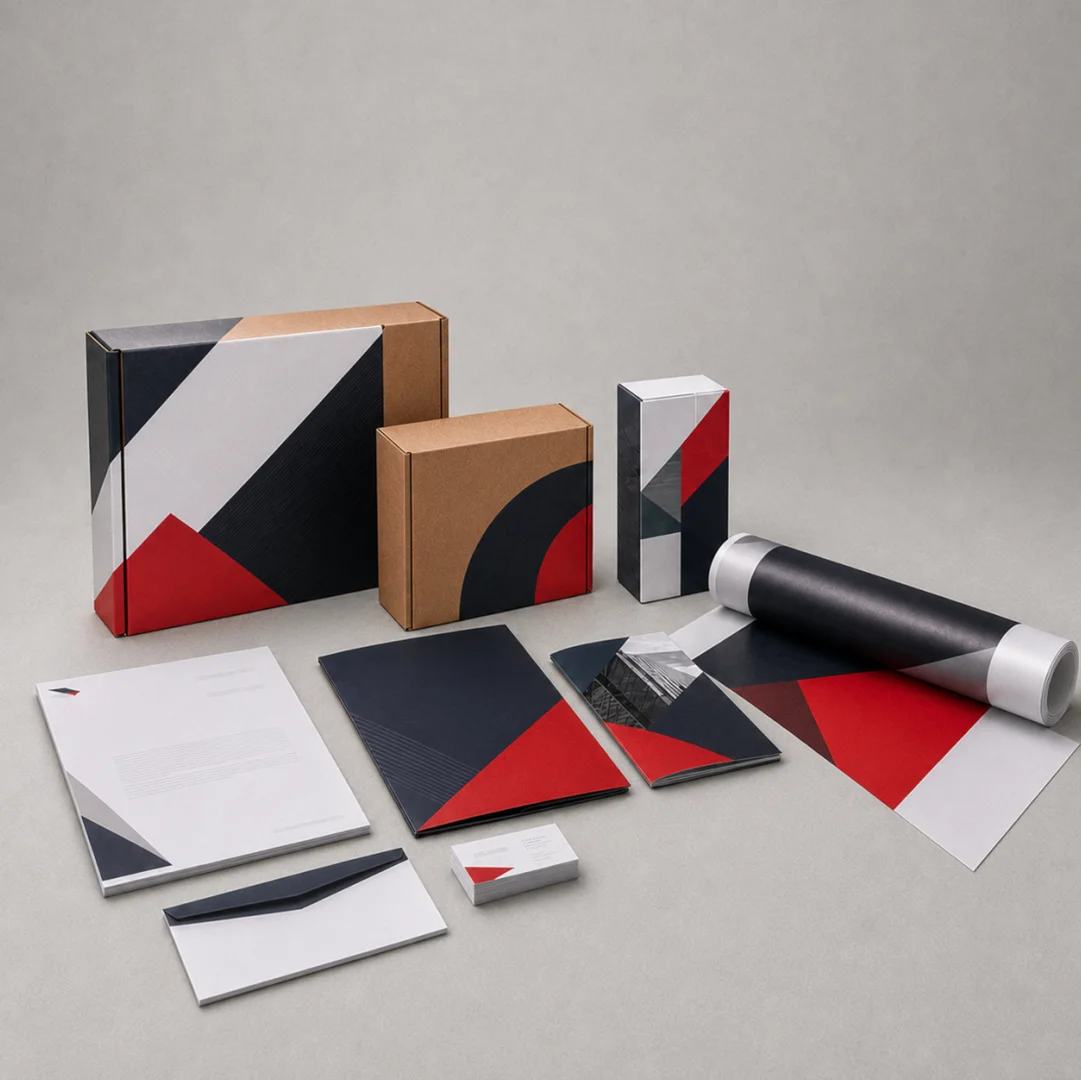
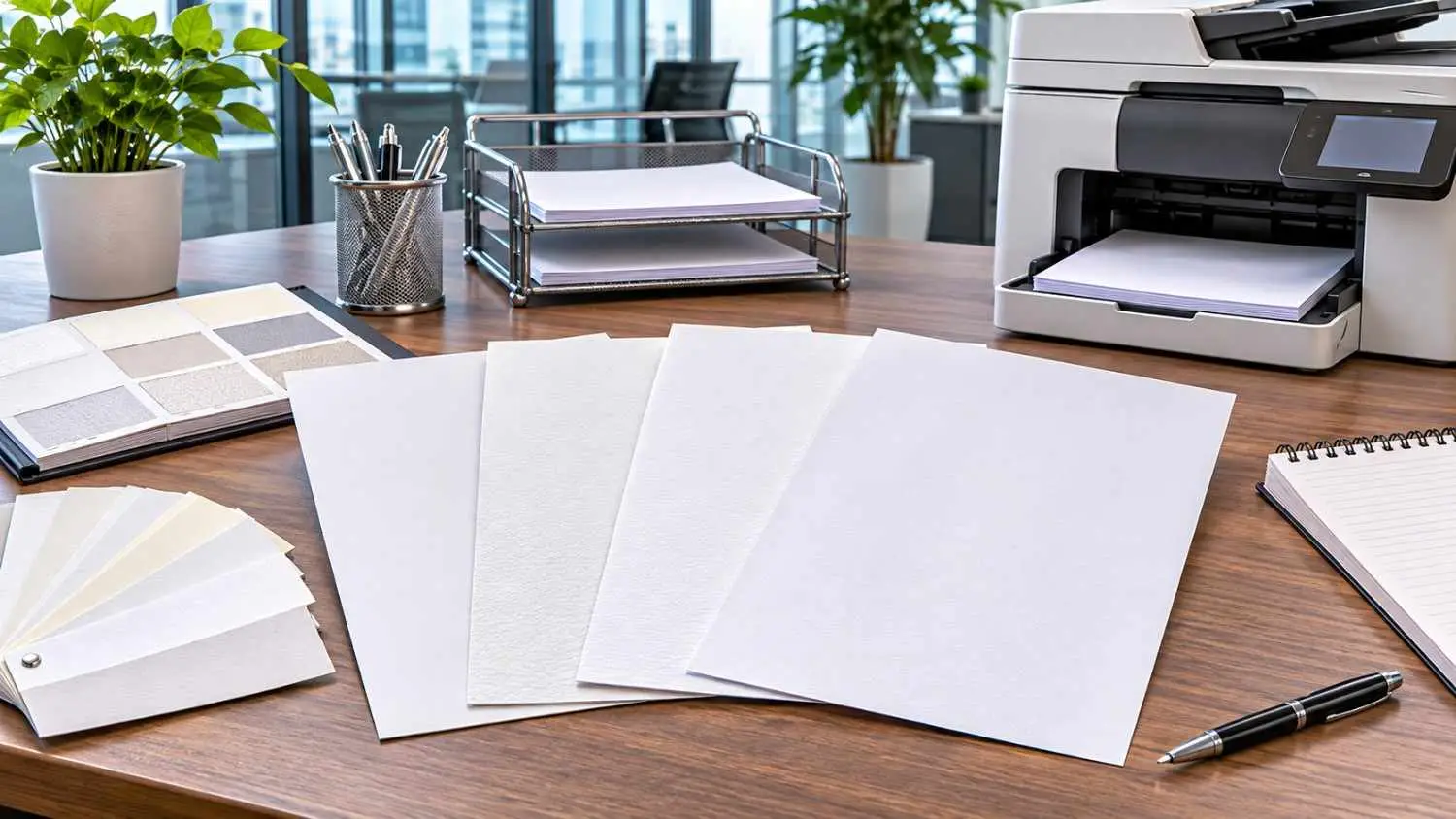
Official business such as business proposals, company correspondence, quotes and invoices, are done on preprinted letterheads. Corporate letterhead printing helps to create a professional impression and establish brand identity in business documents. In letterhead printing, the type of paper you select is also crucial, particularly when you're printing text onto the paper using an office laser or inkjet printer.The ideal letterhead paper is one that delivers easy feeding, readily dries ink and produces legible text prints. The use of incompatible paper can lead to paper jams, curling, smudging of the printed image, and uneven print in the office.
Why Does Paper Selection Matter for Office Letterhead Printing?
Choosing a paper can impact the way a document looks and prints. Office printer paper plays a role in the smooth flow of paper through the printer's rollers and in the quality of the appearance of the additional text on the letterhead.
For businesses, a good Letterhead Paper Quality is also important to ensure uniformity in business papers. The paper may not feed properly or print unevenly if it is excessively thick or coated, or if it is not suitable for the printer. Prior to placing an order, therefore, the buyer should take into account the actual printer model, his/her printing needs and the paper specification recommended by the printer.
Factors to Check When Choosing Letterhead Paper
Businesses need to consider a number of technical and practical considerations before they place an order, such as paper weight, paper finish, printer compatibility and printing needs. The Letterhead printing paper selection process enables buyers to select suitable papers for the everyday use of their office and also give a professional corporate look to their paper. All these factors are also relevant for custom letterhead printing, as the quality of the paper and its design must complement each other to produce uniform and neat business stationery.
Check Compatibility with Laser and Inkjet Printers
The printing method in a laser printer is different from that of an ink-jet printer, so be sure to order letterheads that are suitable for the laser printer before ordering them.
Laser printers fuse the toner particles to the surface of the paper with heat. Therefore, it is important that the paper and preprinted design are suitable for the printing temperature range. Toner adhesion and feeding performance can be affected by incompatible coatings and/or printing finishes.
There are other kinds of printers (also called inkjet printers) that squirt liquid ink onto the paper. The surface should have a good absorption and dry the ink enough, but not in excess and smudge the ink. They have to make sure when they choose an inkjet letterhead paper that it's fit for printing and will yield a high-quality printout.
For those businesses that rely on laser printing, it's crucial to ensure that their printing company offers laser printer compatible letterhead. But compatibility must always be determined by the manufacturer's recommendation of the printer.
Compare 80, 100 and 120 GSM Letterhead Paper
GSM (Grams per square metre) is the weight of paper that is an important factor to take into account when choosing the material for your letterhead. Few different weights will give various handling properties and document appearances.
A general comparison of the most popular papers used:
|
Paper Weight
|
General Characteristics
|
Suitable Applications
|
|
80 GSM
|
Lightweight and easy to handle
|
Everyday office correspondence
|
|
100 GSM
|
More substantial feel with good presentation
|
Business letters, quotations and proposals
|
|
120 GSM
|
Heavier and more premium in appearance
|
Selected corporate stationery and formal documents
|
Generally, 80 GSM letterhead is used for companies which print document copy often and appreciate light-weight stationery. 100 GSM letterhead has a heavier texture than 80 GSM Letterhead and is often used in business correspondence.
A 120 GSM printer may give a more solid effect but buyers need to verify if the printer is compatible with the thickness of the paper they want to print. It is dependent on the intended use, printer capacity and document needs that the appropriate letterhead paper GSM will be used.
Choose Between Coated and Uncoated Paper
Paper finish influences on how the toner adheres, how the ink dries, the appropriateness of the writing, and the overall appearance. Uncoated letterhead paper is commonly used for office stationery due to its ease of printed text, handwritten notes, signatures and stamps onto it. A letterhead paper finish should be suitable for the type of print intended to be produced, so it does not smudge or absorb the ink unevenly. Some office laser or inkjet printers may not be appropriate for glossy and heavily coated stocks; printer compatibility should be determined before finalising the paper.
Evaluate Paper Smoothness and Surface Texture
The surface finish of letterhead paper can affect the readability of print and the look of the paper. The smooth paper is used for printing in general, while textured paper is used to make stationery of a special look.
For instance, if you want a traditional appearance for your business papers, then you may use linen-textured paper. But with some printer technologies, heavily textured surfaces might not be suitable for printing.
Businesses should try out how their printers perform with a specific letterhead paper texture before approving its use. This assists in assessing the consistency of feeding, clarity of text and the general letterhead printing quality.
Verify Preprinted Ink and Special Finish Compatibility
Many companies have letterhead which has their logos, addresses etc pre-printed on there as well as brand colours and more of the company's information. In these designs it may be possible to use special inks, foil, embossing or other finishes to achieve a professional appearance.
When buying Preprinted Letterhead Paper, it is important to take these aspects into mind for subsequent printing in the office. The preprinted inks and finishes need to be compatible with the operating environment of the laser printer. Letterhead Ink Compatibility ensures that there are fewer problems with letterhead including smudging, ink deterioration and poor print quality.
Foil and embossed areas can also impact paper feed or printing surface. If ordering larger quantities, companies should verify compatibility of these features.
Physical sample testing can assist in determining possible ink adherence, paper feeding and further printing problems. It is especially beneficial for businesses that print company statements often on special company stationery.
Check Paper Size, Grain and Feeding Performance
The paper's size and quality are also crucial for the uniformity of office printing. A4 is one of the commonly used sizes for business letters, quotations and corporate correspondence.
Buyers are requested to check the actual sheet size and cutting accuracy during A4 Letterhead Printing. When documents are printed based on pre-designed logo and address formats, incorrect sizing could create alignment issues.
Paper grain direction may also affect the performance of printed and folded sheets. Also, uneven cutting and curling edges can make feeding more difficult and too much moisture can cause feeding issues.
Often Office Printer Paper Jam occurs because of the improper thickness of the paper, curling paper, improper tray setting or paper feeding issues. It is important to check the flatness, size and printer-tray dimensions of a sheet of paper before approving it.
Consider Storage Conditions and Bulk Order Consistency
Paper can absorb moisture from the environment, which can affect the level of flatness, feeding performance, and the results of printing. The letterhead sheets should be stored in a clean dry place, and protected from excess humidity, direct sunlight and dust.
For businesses that order stationery products in bulk, storage is crucial. Bulk Letterhead Printing also requires buyers to pay attention to consistency of paper weight, colour, finish, dimensions and printing quality.
Appropriate Letterhead Paper Storage practices are important in preserving unused sheets, as well as minimizing the risk of water damage causing print problems. It's also important to businesses that the paper specifications and design are kept consistent for repeat orders.
How to Test Letterhead Paper Before Bulk Printing
Running test papers before giving an okay for a bulk purchase is a good practice to rule out compatibility issues. Although a specific paper specification may seem appropriate, the performance may differ depending on the specific office printer and preprinted design.
To perform a simple Letterhead Printer Compatibility Test follow these steps:
- Test a small sample: Put in a few sheets of letterhead and choose the appropriate paper settings.
- Print out a sample form: Fill in or add text, dates, addresses and other commonly used data to check alignment and clarity.
- Test toner or ink performance: Test a print to verify the following: Smudging, spreading and uneven coverage, or poor adhesion.
- Test double-sided printing: If double-sided printing is used often in the office, try to test double-sided printing with the sheet feeding and aligning.
- Check paper condition: Check if the paper is curled, creased, etc., after printing.
These tests are used for assessing the Letterhead Printing Quality under office environment. The final paper must be approved by the business before printing if it is to be used with their standard printing equipment.
Letterhead Paper Selection Checklist for Corporate Buyers
Here are some points corporate buyers should consider before finalizing an order to prevent any problems with printing and stationery.
Letterhead Printing Checklist:
- Laser, inkjet, or both types of printers: Know which type of printer(s) the office is using.
- Paper GSM: It depends on the document requirements and printer specifications, choose 80 GSM, 100 GSM or 120 GSM.
- Paper finish: Smooth, Textured, Coated or uncoated as appropriate for the purpose.
- Paper Dimensions: Providing the size and cutting accuracy of paper needed.
- Ink Compatibility: Check compatibility of preprinted logos, colours and special finishes for further printing.
- Design Approval: Check the positioning of the logo, company information, contact information and design.
- Sample Testing: Do test printing on a physical sample using the actual office printer.
- Order Quantity: Estimate future stationery requirements and usage on a monthly basis.
This Letterhead Printing Checklist can be used to assess business needs prior to placing an order for Corporate Letterhead Printing. It also simplifies the communication to the printing service provider.
Common Letterhead Printing Paper Mistakes to Avoid
When choosing a paper based on its looks and cost alone, issues will arise later in the office. These are some of the most common Letterhead Printing Mistakes that should be avoided by businesses:
- Paper Only by GSM: Heavier paper does not necessarily equal better. The selected weight should be within the printers media range.
- No consideration of Printer Compatibility: Paper that works well with one printer may not work as well with another.
- Failure to follow Storage Conditions: Paper may curl, wrinkle or cause feeding problems when exposed to damp or improper storage.
- Design Alignment: When extra information gets printed, incorrect margins and logos can impact the documents appearance.
Paper specifications, printing technology and real office requirements are all factors of printer compatible letterhead. Businesses can save paper, have consistent stationery materials and can save on printing errors.
Why Choose Roz Ads for Letterhead Printing Services?
Rozads provides businesses with letter head printing services to help them get professional corporate letter heads. The company offers options from 80 to 120 GSM, customised design options, proofing and bulk ordering services that enables them to plan their letterhead requirements as per their business needs.
Companies interested in Letterhead Printing Services in Noida can consult their requirements on the paper weight, design, size, printing quantity and office printer before production. When ordering printing, whether for business mail or specific corporate uses, it's helpful to know what you want the printing to be used for.
When it comes to Bulk Letterhead Printing, buyers can also talk about the positioning of the logo, company information, colour choices, and layout requirements. The design proof and paper confirmation before production will ensure stationery consistency in the final stationery order.
Conclusion
When it comes to professional Letterhead Printing, one of the key considerations is selecting the right kind of paper. GSM of paper, its surface finish, and whether or not it is compatible with the printer and the quality of ink used, and the way it is stored all have an effect on how it is used and how it looks. Before ordering by the bulk, companies can sample paper to determine if there may be any printing problems, and to choose paper that will be compatible with their office equipment.
Rozads offers Custom Letterhead Printing solutions, like different paper weight choices, customised designs and bulk ordering support. Companies can have the opportunity to highlight their printing needs, preferred GSM and any office printer details to design letterheads which are appropriate for their regular business correspondence.
Frequently Asked Questions
The best GSM will depend on the kind of printer and the application for which they are used. 80 GSM is used for normal correspondence, 100 GSM gives a little more weight and 120 GSM appears more substantial, depending on the printer.
Yes, Laser Printer Compatible Letterhead can be fed into appropriate laser printers. Buyers should, however, check whether the paper, pre-printed inks and special finishes, are able to cope with the printer's operating conditions.
Not all office printers can print on glossy paper. Adhesion of toners or ink drying may be influenced by some finishes. Be sure the printer is compatible and test a sample page before ordering.
Yes – many office laser printers can be used to make 100 GSM letterhead paper, provided the printer can accommodate the thickness of the paper. Read the media specifications of the printer, and print a sample or test print before a bulk print.
Keep letterhead paper in a dry, non-humid place, out of direct sunlight. To minimize curling and feeding problems, use flat sheets, proper printer settings and compatible paper.
The following are characteristics which businesses should consider before ordering to Rozads when evaluating paper GSM, size, finish, design fit, printer compatibility, and preprinted ink quality and sample printing results. Knowing this before production will improve the quality of the stationery and waste will be minimized.